



GTFS Feed for Shuttle and Bus Operators: Get Found on Maps
Zaui's GTFS Schedule Feed is a GTFS feed for shuttle and bus operators, built automatically from the schedules they already run in Zaui. It puts scheduled routes in front of travellers who plan trips in Google Maps and other journey planners. The feed refreshes every night, so operators reach riders at the moment they choose how to travel, without building or maintaining transit files by hand.
Getting Bus Routes on Google Maps Shouldn't Need a Data Team
Picture a traveller landing at the airport. They open Google Maps, type in their hotel and tap the transit icon.
The city bus appears, and so does the train. Your shuttle, which leaves from the same curb every 30 minutes, is nowhere on the screen.
That traveller was ready to buy a ride. They just never knew you existed.
This is the gap many shuttle and bus operators live with. You can have a great website, strong reviews and a well-run fleet, and still be invisible in the one app travellers open when they need to get somewhere. To get bus routes on Google Maps, you need a GTFS feed, the standard file format journey planners use to understand routes, stops and timetables.
The problem is that building a GTFS feed has usually meant a side project. Someone exports timetables, formats stop lists, writes calendar exceptions and uploads the result. Then the schedule changes and the work starts again. Many operators either never get started or end up with a feed that is out of date by spring.
We built GTFS into Zaui because your schedule already lives here. The data journey planners need is data you already maintain every day. It made sense to turn it into a feed for you.
What Zaui's GTFS Feed for Shuttle and Bus Operators Does
Zaui's GTFS Schedule Feed is a Zaui Marketplace app that turns your Zaui routes, stops and timetables into a standards-compliant GTFS feed and keeps it current every night. You choose which routes to include. Zaui does the conversion, checks the result and publishes a fresh version at one stable address that an approved journey planner can collect.
Think of it as distribution for your timetable. Your online booking engine sells seats to people who already know your name. A GTFS feed reaches the much larger group of travellers who are simply looking for the best way from A to B.
With the GTFS Schedule Feed, operators can:
- Appear in journey planners such as Google Maps once the feed is accepted.
- Reuse the schedule they already manage in Zaui instead of building a second one.
- Choose exactly which routes go into the feed and which stay out.
- Keep journey planner listings current, with schedule changes flowing into the next nightly update.
- Protect their listing, because a broken update never replaces a working feed.
- See the health of every nightly update at a glance.
Just as important is what disappears. There is no separate GTFS tool to buy, no spreadsheet of stops and times to maintain and no developer to call when the timetable changes. Your team keeps running the schedule in Zaui, and the feed follows.
More Riders Without More Ad Spend
A GTFS feed puts your service in front of people at the exact moment they are choosing how to travel, and you do not pay per click for it. That is a very different kind of visibility from paid search or social ads.
Most marketing for transport operators targets people before they travel. Ads, OTA listings and partner hotels all try to reach a traveller in advance and hope they remember you. Journey planners work the other way around. They catch travellers in the middle of the decision, phone in hand, comparing options.
Being in that list changes the conversation. A traveller sees your departure time, your stop and how long the trip takes, right next to the public options they would have chosen by default. If your service is faster or more direct, you now have a chance to win that ride.
It also builds awareness you cannot easily buy. Every time someone plans a route through your area, your shuttle has a chance to appear. Over a season, that adds up to a steady stream of impressions from people who are actually travelling, not just browsing.
For operators competing with public transit, rideshare and taxis, that visibility matters. You are not asking travellers to search for you. You are showing up where they already look.
It helps most when you launch something new. A new route, a new stop or a new seasonal service usually takes months of marketing before people know it exists. When that route is in your Zaui schedule and included in your feed, it can reach journey planners with the next update and their review. Travellers planning a trip through that corridor can discover it without ever seeing an ad.
The same applies to shoulder seasons. When demand is softer, being visible to every traveller who plans a trip along your route keeps a baseline of riders coming in.
Accurate Schedules Build Trust With Travellers
Showing up in a journey planner only helps if the times are right, and Zaui keeps them right automatically. Nothing damages a first impression faster than a traveller waiting at a stop for a departure that no longer exists.
Because Zaui builds the feed from your live schedule, the feed changes when your schedule changes. Add a holiday departure, move a stop or switch to your winter timetable. The change is included in the next nightly update. Journey planners then collect the new version on their own schedule.
That matters for your reputation. Travellers rarely blame the app when a listing is wrong. They blame the operator. Keeping one source of truth in Zaui means the times riders see are the times your drivers run.
Zaui also protects you from a bad update. Every nightly feed is checked against the GTFS standard before it goes out. If a build fails, Zaui keeps the last good version live, so a single data error does not pull your routes from a journey planner. You fix the issue in Zaui, and the next update carries the correction.
Less Admin for Your Team
The GTFS Schedule Feed removes a recurring job from your team's plate, because nobody has to build, edit or upload transit files. For a small operator, that can be the difference between having a feed and not having one.
Managing GTFS by hand tends to follow the same cycle. A schedule change is approved, and someone remembers the feed a week later.
They dig out the files, update times and stop details, check the formatting and upload the new version. Then they hope nothing broke.
With Zaui, that cycle is gone. Your operations team edits the timetable once, in the system they already use for bookings, manifests and dispatch. The feed takes care of itself.
You also get clear visibility without technical skills. The app shows whether the latest update succeeded, whether anything needs attention and which version journey planners are receiving. If a route is missing information that GTFS needs, such as a stop without coordinates, Zaui points you to the exact record to fix.
That frees your team to spend time on what actually grows ridership: service, pricing and the guest experience.
A Stronger Position With Airports, Resorts and Partners
Appearing in journey planners makes your service look like part of the local transport network, and that helps in partner conversations. Airports, cruise terminals, resorts and tourism boards all want visitors to find reliable ways to get around.
When your routes show up alongside public transit, you are easier to recommend. A hotel concierge can tell guests to search for the route in their map app. A destination marketing team can point visitors to a service they can already see. A resort can promote your shuttle knowing guests will find accurate times on their phones.
It also signals that your operation is organised. Publishing a clean, current timetable to a major journey planner shows partners that your schedule is dependable and your data is maintained. For operators bidding on airport access, resort contracts or destination partnerships, that kind of credibility is worth having.
Finally, it gives you a simple story for your own marketing. "Find us in Google Maps" is an easy line to add to signage, confirmation emails and partner materials, once your feed is accepted.
Who Uses a Google Transit Feed and When
A Google Transit feed suits operators who run scheduled, point-to-point routes that travellers plan trips around. If people would ask a journey planner how to get between your stops, a GTFS feed is worth having. The operators who benefit most include:
Airport and cruise port shuttle operators. Arriving travellers are exactly the people who open a map and look for the next way into town. A feed puts your departures next to the public options at that moment. See how Zaui supports airport shuttle booking and cruise port shuttles.
Intercity and regional bus operators. Scheduled routes between towns are what GTFS was designed for. Operators running intercity bus reservations in Zaui can extend the same routes into journey planners.
Resort and mountain transport operators. Ski shuttles and village connectors often serve visitors who do not know the local options. Being in their map app makes your service the obvious choice.
Multi-route transport operators. If you run several routes with shared stops, one feed keeps every route consistent and current across journey planners.
GTFS is less suited to sightseeing tours and other recreational products. Journey planners such as Google apply public transport policies, and recreational products may not qualify even when the data is valid. Zaui includes a public-transport-only filter to keep your feed focused on routes that fit.
The best time to start is before a timetable change or a new season, so your first published feed reflects the schedule travellers will actually ride.
What to Look for in a Booking Platform With GTFS
If journey planner visibility matters to your growth, ask whether your booking platform can produce a GTFS feed from your live schedule, or whether you will need a separate tool. The answer affects how current your listing stays and how much work it creates.
When you compare booking platforms, these questions help:
- Does the feed come from the same schedule you use for bookings, or a separate copy?
- How often does the feed update after a schedule change?
- What happens if an update contains an error?
- Can you choose which routes are included without technical help?
- Can you see the status of each update yourself?
Zaui answers each of these inside the platform. The feed comes from your live Zaui schedule, updates every night, keeps the last good version if an update fails and gives you route-level control from Channel Manager. Status is visible in the Marketplace app.
Platforms that treat GTFS as an export you run by hand leave the upkeep with you. Over a season of timetable changes, that difference shows up in how accurate your listing stays.
If you are evaluating platforms more broadly, our guide to shuttle and bus booking software covers the other capabilities transport operators should compare.
Getting Started With GTFS on Zaui
Getting your feed live is a short setup in the Zaui back office, followed by a review with the Zaui team before anything goes to a journey planner. You do not need to understand the GTFS format to use it.
- Confirm your routes are ready. Your routes need timetables and stops with accurate locations, which most transport operators already have in Zaui.
- Turn on the app. Enable the GTFS Schedule Feed app in the Zaui Marketplace.
- Choose your routes. Select the routes to include from Channel Manager.
- Review the first feed with Zaui. A Zaui team member checks the first feed with you.
- Submit to the journey planner. Share your feed address with the approved journey planner, which then runs its own review.
If you are already a Zaui customer, the GTFS integration page on the Zaui Marketplace has more detail. If you are moving to Zaui from another platform, your routes and timetables become the source for your feed once they are set up in Zaui.
Availability
The GTFS Schedule Feed is available now as a Zaui Marketplace app for eligible plans. Setup is self-serve, with a Zaui review of your first feed before it is shared with a journey planner.
The feed covers scheduled routes, stops and service dates. It does not include live vehicle positions or delay alerts, which belong to a separate standard called GTFS Realtime. Each journey planner, including Google, runs its own approval process and controls when routes appear, so timing after submission is set by that service rather than by Zaui.
Frequently Asked Questions
How do I get my shuttle routes on Google Maps?
You need a GTFS feed that Google accepts through its transit partner process. Zaui builds that feed automatically from the routes, stops and timetables you manage in Zaui, refreshes it nightly and gives you a stable address to submit. Google then reviews the feed and decides when routes appear. Zaui helps you prepare and review the first feed before submission.
Do I need technical skills to run a GTFS feed with Zaui?
No. Zaui turns your existing schedule into a GTFS feed, checks it against the standard and publishes updates for you. You choose which routes to include and can see the status of each nightly update in the Zaui Marketplace app. If a route is missing information, Zaui links you to the record to fix.
Will my Google Maps listing update when my timetable changes?
Yes. Zaui rebuilds your GTFS feed every night from your current schedule, so timetable changes are included in the next nightly update. Google and other journey planners then collect the new version on their own schedule. Changes are not instant, so plan major timetable switches a few days ahead of the date they take effect.
Does Zaui's GTFS feed show live bus locations?
No. Zaui's GTFS Schedule Feed shares planned routes, stops and times, which is the static GTFS format journey planners use for trip planning. Live positions and delays use a separate standard called GTFS Realtime. For live tracking, Zaui offers a Samsara integration that sends passengers a live tracking link in their booking notifications.
Can tour operators use a GTFS feed?
Sometimes, but it fits scheduled transportation best. Zaui can build a feed for any scheduled point-to-point route, but journey planners such as Google apply public transport policies that may exclude sightseeing and recreational products. Zaui's public-transport-only filter helps keep your feed focused on routes that are most likely to be accepted.
What happens if something goes wrong with a nightly update?
Your listing stays live. Zaui checks every nightly GTFS update before publishing it, and if an update fails, the last good version remains available to journey planners. The Marketplace app shows what went wrong and which record needs attention. Once fixed in Zaui, the correction goes out with the next nightly update.
Put Your Routes Where Travellers Are Looking
If your shuttle or bus routes are invisible in the apps travellers use to plan their trips, you are missing riders who were ready to book. Zaui turns the schedule you already run into a GTFS feed that keeps itself current. Book a demo to see how your routes would reach journey planners and what it takes to get your first feed live.
Related Posts
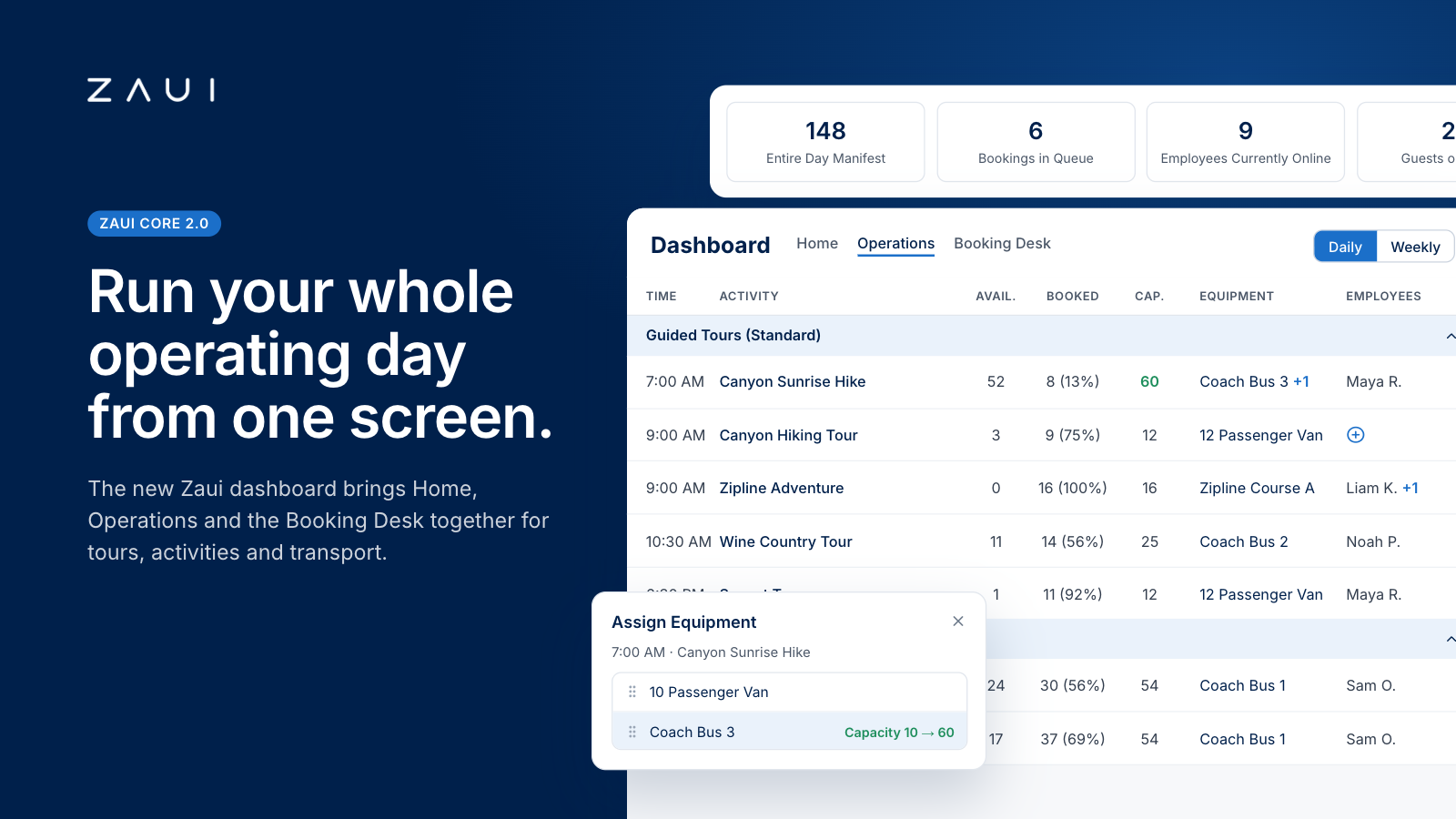
Zaui's New Dashboard and Operations Dashboard: How the Most Advanced Command Center Works
Zaui's new dashboard puts capacity, staff, vehicles, waitlists and bookings for tours, activities and shuttles in one live view. See how it works.

Frequently Asked Questions
No. Zaui’s pricing is fully pay-as-you-go. You aren’t locked into any long-term contract. In fact, leading platforms emphasize this flexibility. Similarly, Zaui lets you start and stop anytime. You can change or cancel your plan freely, so you only pay for what you use.
Absolutely not. Zaui’s pricing is 100% transparent. We disclose all fees up front with no surprise add-ons or “sneak-in” charges. In fact, Zaui’s plans include all core features “without additional fees”. Industry experts note that hidden fees undermine trust so we avoid them entirely. All costs are clearly outlined in our pricing, and there are no extra setup charges or undisclosed surcharges at checkout.
Zaui integrates with major payment gateways (e.g. Stripe) so you only pay standard credit-card processing rates (roughly 1.9%+$0.30/transaction) and we don’t mark them up. Only the published platform commission is added on bookings. You also have full control over who pays the commission, we let you decide whether to absorb booking fees or pass them on to customers. In short, you’ll only pay the transparent booking commission and normal gateway fees, nothing extra.
Your onboarding and support are included in the price. We provide white-glove setup help and ongoing 24/7 support at no additional cost. Our dedicated customer-success team will guide you through every step, ensuring a smooth launch. You won’t pay extra for training or service other than the onboarding fee; it's all built into your plan.
You can schedule a free demo with our team. Our Zaui ninjas will walk you through pe how Zaui can work for your business and highlight opportunities to grow with our advanced features all without any upfront payment. This way, you can feel confident it’s the right fit before making a commitment.
Of course. Zaui’s plans are fully flexible. You can upgrade or downgrade at any time to match your needs, without penalties. You can move to a higher tier or back down easily, and your billing adjusts automatically.
No. Zaui does not charge its commission on offline/manual bookings. “No fees on offline bookings” You only pay the commission when a booking is processed online through our system. Manual reservations (or bookings from partner channels we set up for you) incur no extra platform fee. (30% or less)
All of Zaui’s core features are included in your plan at no extra charge. We believe in value and transparency: Zaui provides over 15 advanced features (Google Things to do, reporting tools, marketing tools, reports, etc.) at no additional cost. Many competitors charge extra or require higher plans for the same features, but with Zaui you get the full suite of tools in one package. Any optional add-ons (if any) will always be clearly listed and optional there are no surprise paid upgrades for standard features.
Each Zaui plan is designed for clarity and fairness, following industry best practices. You can trust that our pricing is transparent and flexible, with the support you need built in.
Extra accounts- unlimited agents, resellers, user
