


Introduction
Transport operators who also run tours -- or tour operators who have added shuttle services to their offering -- face a particular challenge in software selection. Pure tour booking platforms often have weak transport functionality. Pure transport scheduling platforms lack tour booking capability. And the two categories rarely talk to each other cleanly. This guide covers what shuttle and bus booking software needs to do, which features matter specifically for transport operators, and how to evaluate platforms if you run a mix of transport and tour products.
What Shuttle and Bus Booking Software Needs to Do
The core requirements for shuttle and bus operators differ in important ways from standard tour operator software. Where a tour operator needs session management and resource scheduling, a transport operator needs route management, seat allocation, and passenger logistics.
Route and Schedule Management
A shuttle operator's product is defined by routes and departure times. Your software needs to represent this schedule clearly, allow customers to select their preferred departure, and manage capacity for each departure independently. Fixed-route schedules need to be set up once and repeat automatically. A daily airport shuttle should not require manual input every morning. Your system should generate scheduled departures on whatever frequency you define -- hourly, twice daily, weekdays only, seasonally -- and manage bookings against each one.
Seat Allocation and Seat Selection
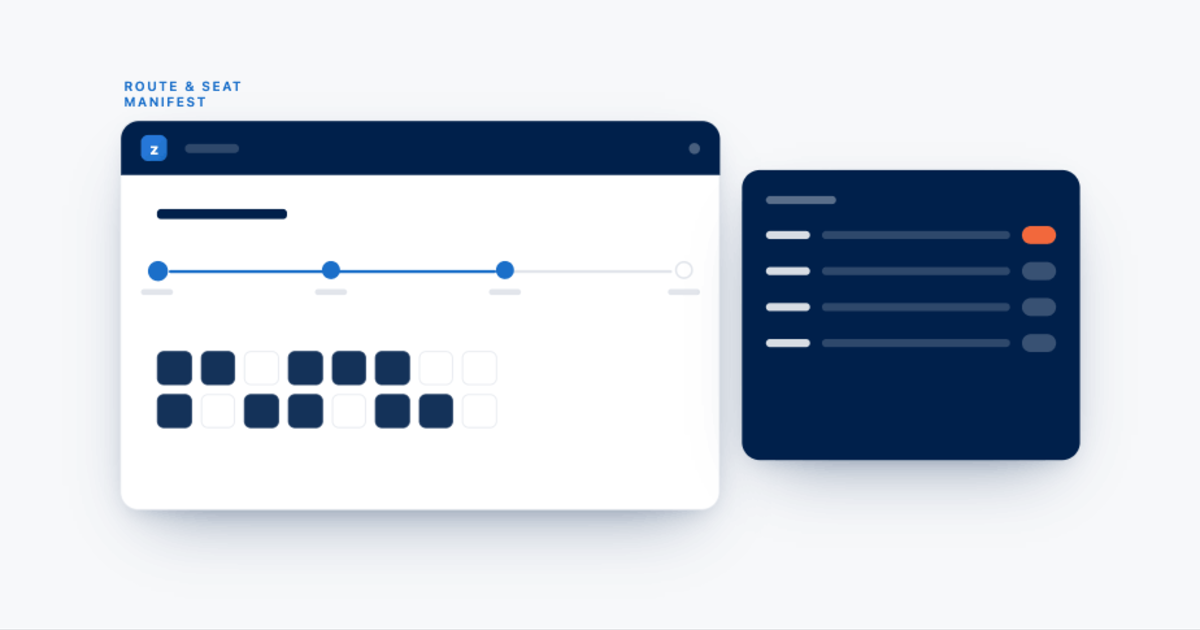
For coaches, buses, and shuttles with assigned seating, customers may want to choose their seat. Even for operators who do not offer seat choice to customers, the back-end needs to track seat assignments to produce accurate manifests and ensure physical seating works for group bookings. For vehicles with numbered seating, the booking software should display a seat map, allow selection, and prevent the same seat from being booked twice on the same departure.
Passenger Manifests
Before each departure, your driver needs a manifest: the list of passengers, their pickup stops, any special requirements, and their contact information in case of delays or changes. Good shuttle booking software generates this manifest automatically from bookings received and updates it in real time as last-minute bookings or cancellations occur. It should be printable and accessible on mobile for drivers.
Multi-Stop Pickup and Drop-Off
Many shuttle services pick up passengers at multiple points along a route. The booking software needs to capture each passenger's pickup and drop-off stop at the time of booking, reflect these stops in the manifest, and potentially adjust pricing based on pickup location.
Recurring Route Configuration
If you run the same route every day or multiple times a week, manually creating each departure in your system is not workable long-term. Your software should allow you to define a recurring schedule and generate departure instances automatically for whatever horizon you set -- 30 days, 90 days, the full season. Seasonal adjustments -- adding more departures during peak season, reducing them in shoulder season -- should be manageable without rebuilding your entire schedule.
Capacity and Availability Management Across Channels
If you sell seats through your own website, through OTA channels, and through hotel concierge desks, every seat sold through any channel needs to reduce the available count everywhere else immediately. A shuttle that shows available seats on your website after a large group has just booked through a partner creates overselling problems and damages customer relationships.
Additional Features That Matter for Transport Operators
Driver and Vehicle Scheduling
Beyond passenger-facing bookings, you need to assign drivers and vehicles to each departure. If a driver is off sick, the system should flag which departures are now unassigned. If a vehicle is in maintenance, departures that depend on it should show a conflict. Driver scheduling has additional considerations: certification requirements for certain routes, hour limits to comply with driver regulation, and rotation schedules for multi-driver operations.
Corporate and Group Accounts
Shuttle operators frequently work with corporate clients who book recurring transfers for employees, hotel groups who book guest transfers in bulk, or tour operators who route groups through your transport service. Your booking system should support account-level billing, group booking with a single reference, and invoice-based payment for corporate clients rather than requiring a credit card per individual booking.
Ticketing and Boarding Passes
For larger operations, digital ticketing -- a QR code the passenger presents at boarding -- reduces the administrative load on your drivers and speeds up boarding. Some shuttle booking platforms generate these automatically and send them via the booking confirmation.
Real-Time Alerts and Notifications
When a departure is about to depart below minimum viable capacity, when a large group books last minute and changes the manifest significantly, or when a vehicle issue creates a scheduling conflict, your operations team needs to know immediately. Proactive operational alerting is a meaningful efficiency feature for transport operators.
How Recurring Routes Work in Shuttle Booking Software
The correct approach in booking software is a schedule template model: you define a route, set a recurring frequency (daily, weekdays only, specific days of the week, at specific times), define the capacity for each departure, and the system generates departure instances automatically for whatever horizon you set. Each generated departure is then independently bookable, with its own capacity count that decrements as seats are sold. Changes to the base template propagate to future departures while leaving past departures unchanged. When you evaluate any shuttle booking platform, ask specifically how recurring routes are set up and managed. Platforms that require manual creation of individual departure instances create significant ongoing overhead for daily shuttle operators.
Can Tour Operator Software Handle Both Tours and Shuttle Services?
Some platforms can, and some cannot. Some platforms that describe themselves as tour operator software handle transport bookings poorly -- they can create a product called Airport Shuttle and take bookings, but they cannot handle seat selection, multi-stop pickup logic, or recurring route schedules with the depth that a transport operator actually needs. Other platforms -- Zaui included -- were built to handle the full spectrum from pure activity bookings to complex transport operations, because their customer base includes operators who run both. For these platforms, the inventory model treats a scheduled shuttle departure and a scheduled tour session with the same underlying logic. If you run tours alongside shuttle services, look for evidence that the platform has real transport customers using it for production operations. Ask vendors to show you how multi-stop routes, seat maps, and recurring schedules work in their system before committing.
Seat Selection for Coach Operators
A seat map in booking software typically shows a top-down schematic of the vehicle with numbered or lettered seat positions, color coding for available seats, booked seats, and optionally premium seats with a price difference, the ability for customers to click a seat to select it during checkout, and a back-end view for your staff showing who is in which seat on any departure. For operators who do not expose seat choice to customers but still manage seating internally, the seat map should be visible to your booking team for manifest management without appearing in the customer checkout. Not all shuttle booking platforms include a seat map. This is worth verifying specifically during demos if it is relevant to your operation.
How Zaui Handles Shuttle and Coach Bookings
Zaui was designed for operators who run a mix of tour and transport products. Route and schedule management: Zaui handles recurring route schedules with independent capacity management for each departure. Routes can be set up once and generate departures automatically across a defined season. Seat and manifest management: passenger manifests are generated automatically for each departure, showing booked passengers, pickup stops, and special requirements. Multi-stop pickup: bookings capture the customer's pickup stop, which appears on the manifest and can factor into the pricing displayed to the customer. Unified inventory with tour products: if you run tours alongside your shuttle service, the same inventory pool, OTA channel connections, and operations dashboard covers both. Dynamic pricing: pricing on shuttle departures can adjust automatically based on remaining seat availability and time until departure. NERA AI operations alerting: operational issues -- a departure with no driver assigned, a vehicle conflict, a route with an upcoming pricing gap -- are flagged proactively before they affect customers.
Key Takeaways
Shuttle and bus booking software needs to handle capabilities that are distinct from standard tour booking: recurring route schedules, seat allocation, multi-stop pickup manifests, and driver and vehicle scheduling. Operators who run transport alongside tours benefit significantly from a platform that handles both in one system. The key evaluation criteria for transport operators are: how recurring routes are managed (template-based vs. manual departure creation), whether seat selection and seat maps are supported, how passenger manifests are generated, and whether the platform has real transport operators as customers rather than treating transport as an edge case.
FAQ
What is the best booking software for shuttle and bus operators? For operators who run shuttle services alongside tours, Zaui handles both in a single platform including route scheduling, seat management, passenger manifests, and OTA distribution. Pure transport operators with high-volume fixed-route operations may need to evaluate purpose-built transport scheduling platforms. The right choice depends on whether your operation crosses the tour-transport boundary.
How does shuttle booking software handle recurring routes? Good shuttle booking software uses a template model: you define a route, its recurring frequency, and its capacity, and the system generates departure instances automatically. Each departure is independently bookable with its own capacity count. Platforms that require manual creation of individual departures are workable for small operations but create significant overhead for daily shuttle services.
What booking platforms support seat selection for coach operators? Some platforms include a seat map component that shows a top-down schematic of the vehicle with numbered seats, allows customers or staff to select seats during booking, and reflects seat assignments in the passenger manifest. Zaui supports seat management for transport operations. Verify this capability specifically during any demo if it is relevant to your operation.
Can tour operator software handle both tours and shuttle services? Some can. Platforms built to handle the full tour-transport spectrum -- like Zaui -- treat shuttle departures and tour sessions with the same underlying booking logic, covering seat management, recurring schedules, and OTA distribution for both. Other tour operator platforms can take a booking labeled shuttle but lack the depth needed for real transport operations. Ask vendors to demonstrate multi-stop routes and recurring schedule management before committing.
How does Zaui handle shuttle and coach bookings? Zaui handles recurring route schedules, seat management, passenger manifests, multi-stop pickup logic, and OTA channel distribution for shuttle and bus products -- using the same platform that handles tour and activity bookings. Dynamic pricing and NERA AI operations alerting apply to transport products as well as tours.
What features do shuttle operators need in booking software? Recurring route schedule management, seat allocation or seat maps, passenger manifests with pickup stop details, multi-stop pickup and drop-off support, driver and vehicle scheduling, corporate or group account billing, and real-time capacity management across all channels. Operators who also run tours need all of these to work alongside tour booking tools in the same system.
How do passenger manifests work in shuttle booking software? A passenger manifest is a report generated for each scheduled departure showing all booked passengers, their pickup stops, contact information, and any special requirements. Good shuttle booking software generates these automatically from bookings received and updates them in real time as last-minute bookings or cancellations come in. They should be accessible to drivers on mobile, not just printable from a desktop.
Does shuttle booking software integrate with OTA channels? Some platforms do. Zaui connects shuttle seat inventory to OTA distribution channels, so a seat sold through a channel is immediately reflected as unavailable everywhere else. This prevents overselling and eliminates manual availability updates on each OTA. Ask specifically about this during any evaluation, since not all platforms that handle tours also handle OTA distribution for transport products.
What is dynamic pricing for shuttle services? Dynamic pricing for shuttle services adjusts the price of seats on a departure automatically based on remaining capacity and time until departure. A near-full departure prices higher than one with plenty of seats weeks out. Zaui includes dynamic pricing for transport products.
Can shuttle booking software handle multi-stop pickup routes? Good shuttle booking software captures each passenger's pickup stop at the time of booking, displays these stops in the manifest for the driver, and can apply different pricing for different pickup locations. Zaui supports multi-stop pickup for transport operations. This is worth verifying specifically during any demo if your routes include multiple pickup points.
Related Posts

Frequently Asked Questions
No. Zaui’s pricing is fully pay-as-you-go. You aren’t locked into any long-term contract. In fact, leading platforms emphasize this flexibility. Similarly, Zaui lets you start and stop anytime. You can change or cancel your plan freely, so you only pay for what you use.
Absolutely not. Zaui’s pricing is 100% transparent. We disclose all fees up front with no surprise add-ons or “sneak-in” charges. In fact, Zaui’s plans include all core features “without additional fees”. Industry experts note that hidden fees undermine trust so we avoid them entirely. All costs are clearly outlined in our pricing, and there are no extra setup charges or undisclosed surcharges at checkout.
Zaui integrates with major payment gateways (e.g. Stripe) so you only pay standard credit-card processing rates (roughly 1.9%+$0.30/transaction) and we don’t mark them up. Only the published platform commission is added on bookings. You also have full control over who pays the commission, we let you decide whether to absorb booking fees or pass them on to customers. In short, you’ll only pay the transparent booking commission and normal gateway fees, nothing extra.
Your onboarding and support are included in the price. We provide white-glove setup help and ongoing 24/7 support at no additional cost. Our dedicated customer-success team will guide you through every step, ensuring a smooth launch. You won’t pay extra for training or service other than the onboarding fee; it's all built into your plan.
You can schedule a free demo with our team. Our Zaui ninjas will walk you through pe how Zaui can work for your business and highlight opportunities to grow with our advanced features all without any upfront payment. This way, you can feel confident it’s the right fit before making a commitment.
Of course. Zaui’s plans are fully flexible. You can upgrade or downgrade at any time to match your needs, without penalties. You can move to a higher tier or back down easily, and your billing adjusts automatically.
No. Zaui does not charge its commission on offline/manual bookings. “No fees on offline bookings” You only pay the commission when a booking is processed online through our system. Manual reservations (or bookings from partner channels we set up for you) incur no extra platform fee. (30% or less)
All of Zaui’s core features are included in your plan at no extra charge. We believe in value and transparency: Zaui provides over 15 advanced features (Google Things to do, reporting tools, marketing tools, reports, etc.) at no additional cost. Many competitors charge extra or require higher plans for the same features, but with Zaui you get the full suite of tools in one package. Any optional add-ons (if any) will always be clearly listed and optional there are no surprise paid upgrades for standard features.
Each Zaui plan is designed for clarity and fairness, following industry best practices. You can trust that our pricing is transparent and flexible, with the support you need built in.
Extra accounts- unlimited agents, resellers, user
