


Booking Data Export for Tour Operators: Own Your Data
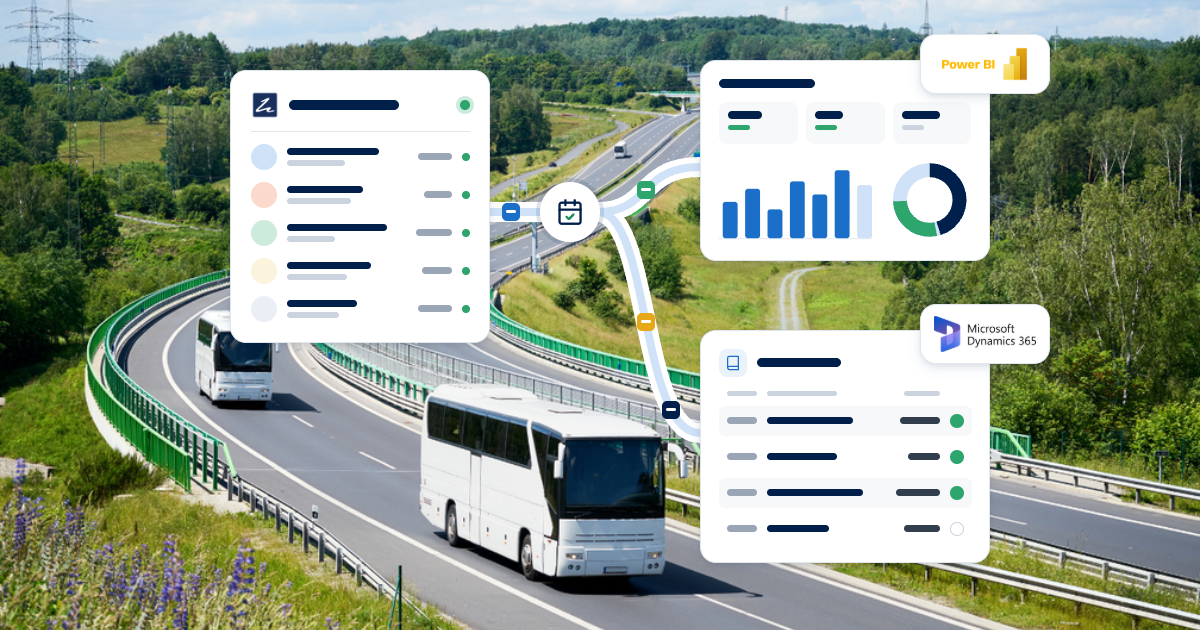
Zaui DataBridge is a booking data export for tour operators that delivers a clean, standardized copy of their Zaui booking data every night. It is built for operators who want their bookings, revenue and transactions in their own BI, finance, CRM or data warehouse tools. Zaui also offers ready-made DataBridge transformations for Microsoft Power BI and Microsoft Dynamics 365. DataBridge replaces manual report exports and costly custom integrations.
Your Booking Data Should Work for You, Not Sit in Reports
Every month, someone on your team logs in, runs a set of reports and exports them to spreadsheets. Bookings sit in one file, transactions in another and agent commissions in a third.
Then the stitching begins.
By the time the numbers reach your finance system or your board pack, they are already out of date. Nobody looks forward to doing it again next month.
This is one of the quiet frustrations of growing operators. Your booking platform holds the most valuable data in your business: who booked, what they bought, how they paid and which channel they came from. But getting that data into the tools where decisions are made is slow, manual and error-prone.
Some operators try to solve it with a custom integration. That usually means developers, API work, error handling and a data model that needs rebuilding whenever something changes. Some of those projects stall long before anyone sees a dashboard.
What finance teams, analysts and leadership actually want is simple. A predictable, complete copy of the booking data, delivered on schedule, in a format their tools already understand.
We built DataBridge because operators whose reporting has outgrown their booking system deserve that, without a software project to get it.
What Zaui's Booking Data Export for Tour Operators Does
Zaui DataBridge is a Zaui Marketplace app that prepares a nightly export of your Zaui data as standardized CSV files and keeps your destination systems up to date. After an initial package that sets your starting point, DataBridge delivers an update every night for the bookings and related records that changed.
DataBridge is not another reporting screen. It is a dependable delivery of your data to wherever your team already works. Records stay linked, so customers, booking items, products, agents and transactions can be joined in your own tools without guesswork.
The export includes your organization details, customer profiles approved for export, bookings and the items sold, booking taxes, product and price-code names, financial transactions and commissioned seller and reseller references.
With DataBridge, operators can:
- Own a current, daily copy of their booking data in systems they control.
- Feed Power BI, a data warehouse, a CRM or a finance system every day.
- Reconcile revenue and payments faster, with transactions linked to their bookings.
- Compare performance across products, channels, agents and locations in one place.
- Choose whether customer contact details are included or redacted.
- Avoid the cost and risk of a custom integration project.
What operators leave behind is the manual export cycle. No more monthly spreadsheet merges, no more reports rebuilt by hand and no more waiting for one person who knows how the export works.
Own Your Booking Data
DataBridge gives you a full, ongoing copy of your booking data in your own environment, which is what data ownership looks like in practice. For many larger operators, that is a deciding factor when choosing a booking platform.
Data ownership is about more than permission to download a report. It is about having your data where you can use it, combine it with other sources and keep it under your own policies. A business that can only see its numbers inside a vendor's screens is limited by what those screens show.
With DataBridge, your bookings, transactions and customer records arrive in your systems every night. Your team decides how to model them, which dashboards to build and how long to keep them. You can join booking data with marketing spend, payroll, fleet costs or weather data to answer questions no standard report could.
That also protects your business over time. Historical booking data in your own warehouse is an asset you control. It supports forecasting, budgeting and long-term planning, and it is there whenever leadership or investors ask for it.
If you are evaluating platforms, ask each vendor how you would get a complete, current copy of your data every day. With Zaui, the answer is an app you switch on.
Power BI for Tour Operators, Ready to Use
Zaui's Power BI transformation turns each DataBridge export into a package prepared for Microsoft Power BI, so your analysts can build reports instead of reshaping files. It is a separate Zaui Marketplace app, built by Zaui, for operators who report in Power BI.
[IMAGE PLACEHOLDER: booking-data-export-databridge-body-2.png] Alt text: Reporting dashboard showing revenue by channel, bookings by product and a multi-location comparison.
Power BI for tour operators usually starts with the same questions. Which products drive the most revenue, and which agents and resellers sell the most?
Leadership wants to know how this season compares with last. Finance wants to know where taxes and transactions are not reconciling.
DataBridge already contains the data to answer those questions. The Power BI transformation does the preparation work, so the data is ready for your Power BI environment after each nightly run. Your reports refresh from the latest package rather than from a one-off export someone remembered to run.
For operators with an in-house analyst or a BI partner, that shortens the path from data to insight. Instead of spending the first weeks of a project cleaning and joining exports, your team can focus on the dashboards leadership actually wants.
If you are still deciding what to measure, our guide to key performance indicators for tour operators is a useful starting point. Operators who prefer ready-made reports can also use Zaui's built-in reporting and analytics.
Faster Month-End With Dynamics 365 Accounting Integration
Zaui's Dynamics 365 transformation turns Zaui bookings and payments into accounting files for Microsoft Dynamics 365, with debtor accounts and account codes already mapped. For finance teams on Dynamics 365, that removes one of the most tedious parts of month-end.
The problem is familiar. Bookings and payments live in your booking platform, but your general ledger lives in Dynamics 365. Without a bridge, someone re-keys totals or rebuilds exports as journal imports. Both take time, and both invite errors that surface weeks later during reconciliation.
The Dynamics 365 transformation produces files shaped for Dynamics 365, with Zaui records mapped to your debtor accounts and codes. Your finance team imports them through its normal process. The mapping is set up with Zaui to reflect your chart of accounts, so the files arrive in the structure your accountants expect.
The benefits show up in a few places. Month-end close involves less manual entry. Revenue in your ledger lines up more easily with revenue in Zaui. And your finance team spends more time analysing results and less time moving numbers between systems.
For operators with complex finances, such as several entities, agents on account or large group business, that consistency is especially valuable.
It also makes audits and year-end simpler. When the same mapping is applied every time, your accountants can trace ledger figures back to the bookings and payments behind them. They no longer need operations to pull ad hoc reports.
Multi-Location Reporting in One View
DataBridge makes it easier to see every site, brand and business line together, because all of the data can flow into one warehouse or BI model. That is often the first thing growing operators want and the hardest thing to build.
Multi-location operators often run different products, teams and price structures in different places. Leadership still needs one view of the business: total revenue, performance by site, channel mix and trends over time.
With nightly data arriving in your own environment, your analysts can build that view once and keep it current. Comparing a downtown tour hub with a mountain transport operation, or a summer brand with a winter one, becomes a dashboard rather than a monthly project.
It also supports better operational decisions. You can see which locations rely most on resellers, which products carry the most discounting and where demand is growing fastest. Those insights shape pricing, staffing and investment.
It helps with growth plans too. When you add a new location or acquire another operator, its data can join the same model once it runs on Zaui. Leadership then sees the full business from day one.
Our guide to booking software for enterprise tour and activity operators explains why this kind of data access matters when you choose a platform.
No Custom Integration Project to Fund
DataBridge gives you a maintained, standard export instead of a one-off integration you have to build and support. That saves money up front and avoids risk later.
A custom data integration usually starts with a quote, a scope and a developer. It then needs testing, monitoring and updates whenever either side changes. Often the knowledge of how it works sits with one person or one contractor. When they move on, the integration becomes fragile.
DataBridge works differently. Zaui publishes versioned file definitions, so your team always knows which structure applies to each package. When new data is added, it arrives as a new version rather than breaking your existing setup. Loading CSV files is something almost every BI, warehouse and accounting tool can do without special connectors.
Live APIs still have their place for operational tools that must react to every booking as it happens. But for reporting, finance, warehousing and CRM, a reliable nightly refresh is usually exactly what teams need, and it is far simpler to run.
Privacy and Control Stay With You
DataBridge lets you decide how much customer detail leaves Zaui, and it keeps sensitive information out entirely. That helps you meet your own privacy obligations while still getting full value from your data.
You choose between two modes. Included mode adds approved customer contact and address fields. Redacted mode leaves direct customer details out, while keeping stable identifiers so records can still be joined. Analysts can study booking patterns without seeing personal details if that suits your policies.
Some data is never included in the export, such as payment card details, credentials, government identifiers, passport details, health information, birth dates, waiver data and unrestricted notes.
Access is controlled with a secret key you manage from the app, and you can rotate or revoke it at any time. Packages are isolated by customer and kept for a retention period you set, with 15 days as the default.
Who Uses DataBridge and When
DataBridge suits operators whose reporting, finance or data needs reach beyond standard booking reports. These are often larger, multi-location or fast-growing businesses. Good fits include:
Enterprise and multi-location operators that need one consolidated view across sites, brands or business lines.
Operators running Power BI who want booking data refreshed automatically in their reports.
Finance teams on Dynamics 365 that want bookings and payments to arrive as accounting files instead of re-keyed totals.
Operators selling heavily through agents and resellers who want to analyse partner performance alongside direct sales.
Operators building a data warehouse or CRM who need a dependable, daily source of booking and customer data.
The best time to start is before a reporting crunch, such as a new financial year, a board cycle or a move to a new finance system.
It is also worth planning DataBridge into a platform switch. If you are moving to Zaui from another booking system, set up your data destination early. Reporting then continues from your first weeks on the new platform, instead of becoming a catch-up project later.
Getting Started With DataBridge on Zaui
DataBridge is switched on from the Zaui Marketplace, and your team or BI partner connects it to the destination you choose. Planning the destination first makes the rest straightforward.
- Decide where the data should go, such as Power BI, a warehouse or Dynamics 365.
- Install DataBridge from the Zaui Marketplace and choose your retention and personal-data settings.
- Add a transformation for Power BI or Dynamics 365 if you use either platform.
- Load the initial package, then automate the nightly updates.
A separate DataBridge Integration Guide gives technical teams the file definitions and processing rules they need.
Availability
DataBridge is available in the Zaui Marketplace, with Power BI and Dynamics 365 transformations offered as separate Marketplace apps built by Zaui. Your team or partner is responsible for loading packages into your destination and applying your own retention and privacy policies once data is downloaded.
DataBridge is a nightly export, not a real-time feed. The initial release does not include individual passenger records, standalone fee or discount datasets, or detailed route, stop and vehicle data. A build notifications add-on that tells your data system when each run has finished is coming next.
Frequently Asked Questions
Can I export my booking data from Zaui every day?
Yes. Zaui DataBridge delivers a nightly export of your bookings, booking items, taxes, financial transactions, products and price codes, approved customer profiles and seller references. It starts with an initial package to establish your history, then sends daily updates. The data arrives as standardized CSV files that load into most BI, finance and warehouse tools.
Does Zaui integrate with Power BI?
Yes. Zaui offers a Power BI transformation as a separate Marketplace app built on DataBridge. After each nightly DataBridge run, it prepares your booking data for Power BI, so analysts can build dashboards without reshaping raw files. Operators can also load standard DataBridge CSV files into Power BI directly if they prefer.
Does Zaui integrate with Microsoft Dynamics 365?
Yes. Zaui offers a Dynamics 365 transformation that turns Zaui bookings and payments into accounting files for Dynamics 365, with debtor accounts and account codes mapped. Zaui sets up the mapping to match your chart of accounts, so your finance team imports files through its normal process instead of re-keying totals at month-end.
Do I need a developer to use DataBridge?
You need someone to load the files into your destination, which might be your analyst, finance team or BI partner. Zaui handles the export itself, the file structure and the nightly updates, so there is no custom integration to build. The Power BI and Dynamics 365 transformations reduce the preparation work further.
Is Zaui DataBridge real time?
No. Zaui DataBridge delivers a nightly export, which suits reporting, finance, warehousing and CRM, where daily data is the norm. Operators who need to react to each booking as it happens can use Zaui's APIs for those live workflows. Many reporting needs, such as month-end and board reporting, work well with a daily refresh.
Can I keep customer personal details out of the export?
Yes. Zaui DataBridge has a Redacted mode that leaves direct customer details out while keeping stable identifiers, so records can still be linked. Included mode adds approved contact and address fields. Sensitive data such as payment card details, passport details, birth dates and waiver data is never included in the export.
Put Your Booking Data Where Your Team Already Works
If your finance team re-keys totals or your analysts rebuild the same spreadsheet every month, DataBridge gives them a clean nightly feed instead, with Zaui as the system of record. Book a demo to see what a DataBridge package contains and how the Power BI or Dynamics 365 transformation would fit your reporting.
Related Posts
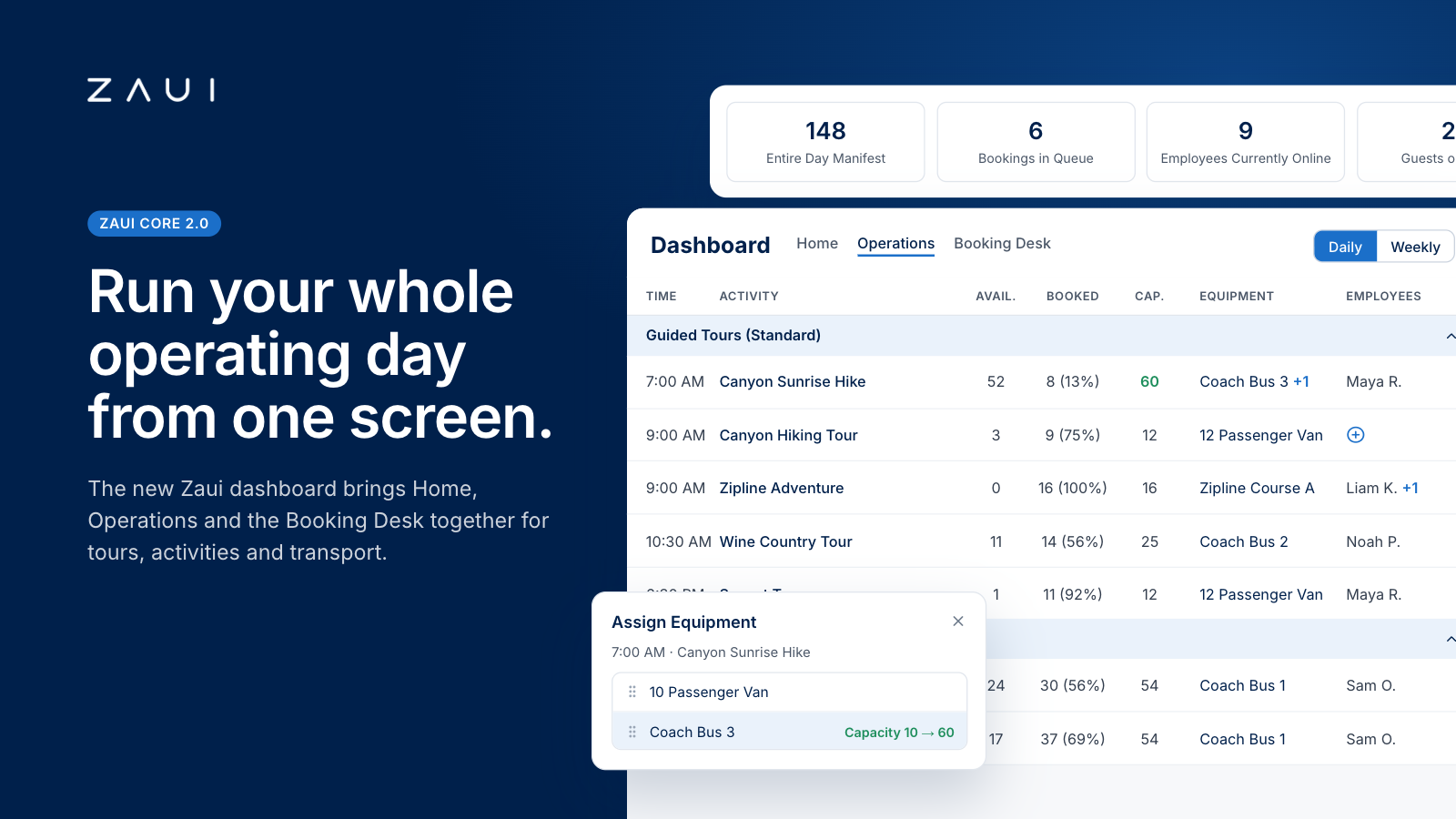
Zaui's New Dashboard and Operations Dashboard: How the Most Advanced Command Center Works
Zaui's new dashboard puts capacity, staff, vehicles, waitlists and bookings for tours, activities and shuttles in one live view. See how it works.



Frequently Asked Questions
No. Zaui’s pricing is fully pay-as-you-go. You aren’t locked into any long-term contract. In fact, leading platforms emphasize this flexibility. Similarly, Zaui lets you start and stop anytime. You can change or cancel your plan freely, so you only pay for what you use.
Absolutely not. Zaui’s pricing is 100% transparent. We disclose all fees up front with no surprise add-ons or “sneak-in” charges. In fact, Zaui’s plans include all core features “without additional fees”. Industry experts note that hidden fees undermine trust so we avoid them entirely. All costs are clearly outlined in our pricing, and there are no extra setup charges or undisclosed surcharges at checkout.
Zaui integrates with major payment gateways (e.g. Stripe) so you only pay standard credit-card processing rates (roughly 1.9%+$0.30/transaction) and we don’t mark them up. Only the published platform commission is added on bookings. You also have full control over who pays the commission, we let you decide whether to absorb booking fees or pass them on to customers. In short, you’ll only pay the transparent booking commission and normal gateway fees, nothing extra.
Your onboarding and support are included in the price. We provide white-glove setup help and ongoing 24/7 support at no additional cost. Our dedicated customer-success team will guide you through every step, ensuring a smooth launch. You won’t pay extra for training or service other than the onboarding fee; it's all built into your plan.
You can schedule a free demo with our team. Our Zaui ninjas will walk you through pe how Zaui can work for your business and highlight opportunities to grow with our advanced features all without any upfront payment. This way, you can feel confident it’s the right fit before making a commitment.
Of course. Zaui’s plans are fully flexible. You can upgrade or downgrade at any time to match your needs, without penalties. You can move to a higher tier or back down easily, and your billing adjusts automatically.
No. Zaui does not charge its commission on offline/manual bookings. “No fees on offline bookings” You only pay the commission when a booking is processed online through our system. Manual reservations (or bookings from partner channels we set up for you) incur no extra platform fee. (30% or less)
All of Zaui’s core features are included in your plan at no extra charge. We believe in value and transparency: Zaui provides over 15 advanced features (Google Things to do, reporting tools, marketing tools, reports, etc.) at no additional cost. Many competitors charge extra or require higher plans for the same features, but with Zaui you get the full suite of tools in one package. Any optional add-ons (if any) will always be clearly listed and optional there are no surprise paid upgrades for standard features.
Each Zaui plan is designed for clarity and fairness, following industry best practices. You can trust that our pricing is transparent and flexible, with the support you need built in.
Extra accounts- unlimited agents, resellers, user
