


Automated Waitlist for Tour Operators: Fill Sold-Out Spots
Zaui's Waitlist Automation is an automated waitlist for tour operators that turns cancellations on sold-out departures into new bookings. Guests who cannot get a spot join the waitlist without paying. When space opens up, Zaui offers it to the next guest whose whole party fits and sends a secure checkout link. Operators recover revenue from late cancellations without anyone on the team calling down a list.
The Sold-Out Tour Waitlist Problem
Your Saturday glacier hike sold out two weeks ago. Since then, people have called and emailed every day asking whether anything opens up. Someone on your team writes their names on a list.
On Thursday night, a family of four cancels. On Friday morning, your front desk starts working through the list.
The first person does not answer. The second needs space for five. The third books, but only after an hour of back-and-forth. Meanwhile, two of the freed spots were snapped up on an OTA by someone who was never on the list.
That is how a manual sold-out tour waitlist usually works. It depends on whoever is at the desk, it moves at the speed of phone tag and it gives no real promise to the guests who asked first. Late cancellations are the hardest to recover, because there is no time to work through a list by hand.
The cost adds up quietly. Every cancelled spot that goes unsold is revenue you already earned once and then lost. Every guest who gave up waiting may have booked something else, possibly with a competitor.
We built Waitlist Automation so a cancellation turns into an offer straight away, without anyone at your desk having to notice it first.
What Zaui's Automated Waitlist Does
Zaui's Waitlist Automation captures demand from sold-out departures and automatically offers freed-up spots to waiting guests, turning accepted offers into normal bookings. It runs inside Zaui, using the same inventory as your website, front desk and connected channels.
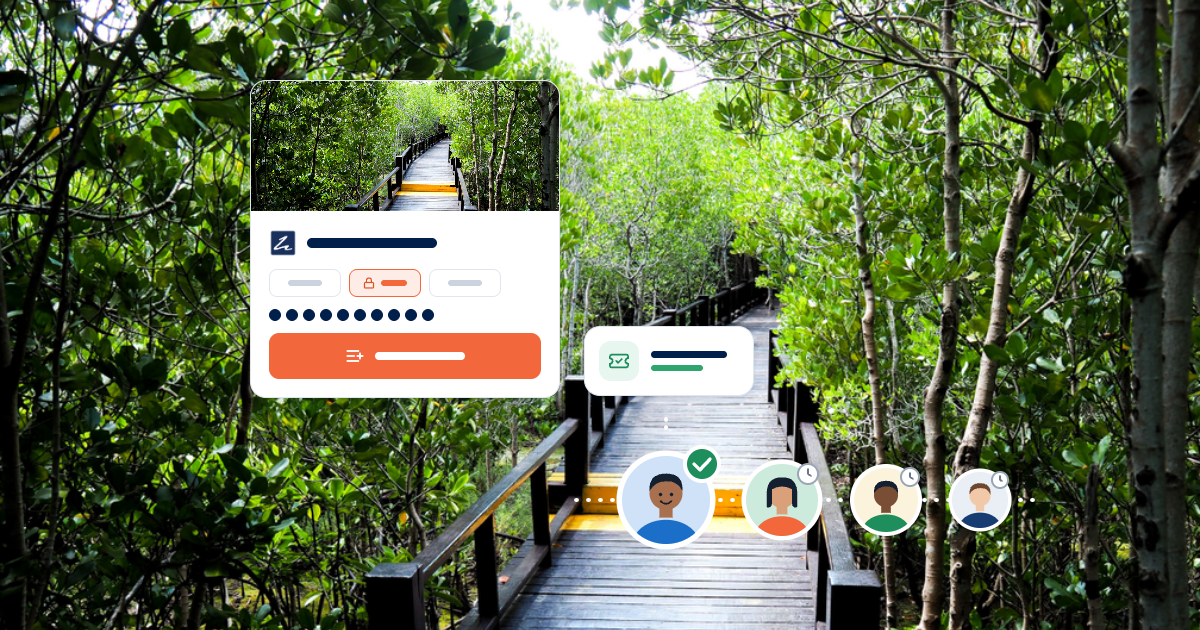
When a departure cannot fit a guest's party, the guest can join the waitlist instead of leaving. No payment is taken.
When a cancellation or booking change frees up space, Zaui checks the waitlist in joining order. It finds the first party that fits and holds the spots for them.
The guest receives an email with a secure checkout link and a deadline. If they pay, they are booked. If not, the spots go to the next guest.
With Waitlist Automation, operators can:
- Recover revenue from cancellations on their most popular departures.
- Keep interested guests in their pipeline instead of losing them to other operators.
- Offer freed-up spots automatically, without staff time.
- Hold spots for the invited guest so no other channel sells them first.
- Treat waiting guests fairly, in the order they joined.
- Add phone and walk-in guests to the waitlist from Booking Desk.
What goes away is the manual chase. No clipboard list, no calling down a queue and no losing a spot to an OTA while your team is still dialling.
Recover Revenue From Cancellations
Every cancellation on a sold-out departure is a chance to sell the same spot again, and Waitlist Automation makes sure that chance is taken. That is revenue you have already generated demand for.
Cancellations are part of running tours. Plans change, flights move and weather shifts. On quiet days, a cancelled spot may simply go unsold. On your busiest departures, it should not, because someone usually wanted it.
The challenge is speed. A spot that opens at 9 p.m. on a Thursday for a Saturday tour needs to be offered quickly. A manual list cannot move that fast. By the time someone calls the first name in the morning, the window may have closed.
Zaui acts as soon as space opens. It holds the spots for the next eligible guest and sends the offer right away. The guest can pay from their phone that evening. Your team can wake up to a full departure instead of a to-do list.
Over a season, those recovered spots add up. For operators with capacity-limited tours, they can represent a meaningful share of revenue that would otherwise have quietly disappeared.
Keep Demand From Sold-Out Departures
A sold-out departure usually means losing the guests who wanted it, and the waitlist keeps them in your business instead. That turns peak demand into a pipeline rather than a dead end.
When a traveller sees "sold out," the natural reaction is to look elsewhere. They search for a similar tour, find one with space and book it. That guest may never come back.
Joining a waitlist gives them a reason to stay. It costs nothing and takes a moment. They keep their interest in your tour, and you keep a direct line to them.
The waitlist also captures guests on your own channels. When a guest joins from your website or your front desk, you have their details and a direct relationship, even if their original search started elsewhere. When a cancellation comes through an OTA, Zaui can offer the freed spot to a guest on your own waitlist.
It also gives your team a clearer picture of demand. Seeing which departures attract waitlist sign-ups helps when you plan extra departures, adjust pricing or add capacity next season.
A long waitlist on a Saturday morning departure is a strong hint that a second Saturday departure would fill. That kind of signal is hard to see when sold-out demand simply walks away.
Fair to Guests, Easy on Your Team
Waitlist Automation treats every guest fairly and removes the awkward judgement calls from your staff. Guests know they are in a queue, and the queue runs the same way every time.
Zaui offers space in the order guests joined, with one sensible exception. If the next party is too large for the space available, Zaui moves on to the first party that fits. The larger party keeps its place for the next opening. Nobody is offered a partial booking, so families and groups are never split up.
For your team, that consistency is a relief. Staff no longer decide who to call first, how long to wait for a callback or whether to bend the order for a regular. The rules are clear, and they apply on every channel.
Day-to-day management is light. Staff can see active waitlist entries, review their history and remove a guest if needed. Guests can also remove themselves using a link in their confirmation email, which keeps the list accurate without staff effort.
A Better Guest Experience on Your Busiest Days
A waitlist turns "sorry, we're full" into "we'll let you know," which feels very different to a traveller who has their heart set on your tour. It is a small change with a big effect on how guests see your business.
Being told a tour is sold out is disappointing. Being given a simple way to wait, with no payment and a clear promise of an email if space opens, keeps that disappointment from turning into frustration. Guests feel looked after rather than turned away.
The offer itself is part of the experience. A guest who gets an email saying a spot has opened, with one link to book, is usually pleased to hear from you. It feels like good news, not a sales pitch. Those guests often arrive on the day already happy with your business.
The process respects their time too. There are no repeated calls asking whether anything has changed and no need to keep checking your website. Guests can remove themselves with one click if their plans change, which keeps the list accurate for everyone else.
For your front desk, it changes the conversation with walk-ins and callers. Instead of a flat no, staff can offer a place on the waitlist in seconds from Booking Desk. That is a better answer for the guest and a better use of a busy moment.
Protect Inventory While Guests Decide
When Zaui sends an offer, it holds those spots for the guest until they pay or the offer expires, so the same seat is never sold twice. That keeps offers meaningful and your inventory accurate.
A waitlist offer is only worth something if the spot is still there when the guest clicks. Without a hold, another channel could sell it in the meantime, and the guest would arrive at checkout to find it gone.
Zaui prevents that. Once an offer goes out, the spots are reserved for that guest across your website, Booking Desk and connected channels. If the guest completes payment, the booking is confirmed like any other. If the offer expires, Zaui releases the spots and moves to the next guest automatically.
You choose how long guests have to accept. A shorter window keeps the queue moving close to departure. A longer window gives guests time to plan. Zaui calculates every deadline in the right timezone, so international guests see clear expiry times.
Works With Your OTA Cancellations
Cancellations from OTAs and resellers trigger the waitlist too, so bookings lost on one channel can be refilled directly. That makes the waitlist useful across your whole distribution.
Zaui watches for released space wherever it comes from. A cancellation on your website, a reduced party size at the front desk or a date change made by your team can all trigger an offer. So can cancellations from supported channels such as Viator, GetYourGuide and Expedia.
That means a spot cancelled through an OTA does not have to go back to the OTA to be resold. It can go straight to a guest who asked you directly. For operators who want to grow their direct relationships, that is a useful shift.
It also keeps your channels in sync. Because Zaui manages inventory across channels, the spot is held for the waitlisted guest until the offer is resolved. See how Zaui's channel manager and OTA distribution keep inventory shared.
Who Needs an Automated Waitlist for Tour Operators
Waitlist Automation suits operators whose popular departures sell out and who want to fill last-minute cancellations without manual work. The fit is strongest where demand regularly exceeds capacity. Good fits include:
Tour and activity operators with small groups or fixed capacity, such as guided hikes, caving, glacier walks and specialist experiences.
Operators with strong OTA sales, who want cancelled OTA spots to reach their own waitlist.
Operators with busy reservation teams, who can add phone and walk-in guests from Booking Desk and then stop tracking them. Read more about Zaui Booking Desk.
Operators running timed sessions, since standard time-interval activities are supported.
The waitlist is most valuable in peak season, around holidays and for departures with strict cancellation windows, when late cancellations are most likely to go unsold.
What to Ask When Comparing Waitlist Booking Systems
If sold-out departures are common in your business, ask how each waitlist booking system turns cancellations into bookings. Some waitlist tools simply collect names and leave the follow-up to you.
Questions worth asking:
- Does the waitlist offer freed spots automatically, or does your team have to call guests?
- Does it hold the spots for the invited guest so another channel cannot sell them?
- Does a cancellation on an OTA trigger the waitlist?
- Does it avoid offering partial spots to larger groups?
- Does a paid offer become a normal booking on your manifests and reports?
Zaui's Waitlist Automation answers each of these within the platform. A waitlist that only records interest still leaves your team doing the hard part. An automated one does the work while you sleep.
Getting Started With Waitlist Automation on Zaui
Waitlist Automation is switched on for your account by Zaui, then configured by your team in Company Info. Most of the setup is choosing how you want it to behave.
- Turn on automated waitlists in your Zaui settings.
- Choose where guests can join: your online booking engine, Booking Desk or both.
- Set the offer window, the time guests have to accept and pay.
- Review your waitlist emails so they match your brand and tone, using Zaui's automated guest communication tools.
- Test it on a sold-out departure.
Availability
Waitlist Automation is available in Zaui and is enabled per account. It supports regular activities and standard time-interval activities, with guests joining from the online booking engine or Booking Desk.
Rentals, tickets, packages and point-to-point transportation are not supported in the current release. Notifications are sent by email, and the queue runs in joining order with fit-based skipping, without manual reordering or VIP priority. Guests cannot join a waitlist through an OTA, although OTA cancellations do trigger offers.
Frequently Asked Questions
Does Zaui have an automated waitlist for sold-out tours?
Yes. Zaui's Waitlist Automation lets guests join a waitlist when a departure cannot fit their party. When space opens up from a cancellation or booking change, Zaui offers it to the next guest whose whole party fits, holds the spots and emails a secure checkout link. A paid offer becomes a normal booking.
Do guests pay to join the waitlist?
No. Zaui does not take any payment when a guest joins the waitlist, and joining does not reserve inventory. Guests only pay if a spot opens, Zaui sends them an offer and they complete checkout before the deadline. That makes it easy for interested travellers to wait for your tour instead of booking elsewhere.
How does Zaui decide who gets a cancelled spot?
Zaui offers space in the order guests joined the waitlist. If the next party is too large for the space available, Zaui offers it to the first party that fits, and the larger party keeps its place. Zaui never offers partial spots, so groups and families are not split up.
Can a cancellation on an OTA go to someone on my waitlist?
Yes. Zaui triggers the waitlist whenever space is released, including cancellations from supported channels such as Viator, GetYourGuide and Expedia. The freed spot can be offered directly to a guest on your waitlist, and Zaui holds it for them while they decide. Guests cannot join the waitlist through an OTA itself.
What if the guest does not accept the offer in time?
The offer expires and the spots are released. Zaui then offers them to the next eligible guest automatically, with no action needed from your team. You choose how long guests have to accept, and Zaui calculates every deadline in the right timezone so guests see a clear expiry time.
Will waitlisted guests show up on my manifests?
Only once they book. Zaui keeps waiting guests off manifests until they accept an offer and pay. After that, they become a normal confirmed booking and appear on manifests, in reports and in integrations like any other guest. Your team can see active waitlist entries in the Zaui back office at any time.
Turn Your Next Cancellation Into a Booking
If your best departures sell out and cancelled spots still go unsold, Waitlist Automation can recover that revenue without adding work for your team. Guests get a fair chance at the tour they wanted, and your team gets its mornings back. Book a demo to see how the waitlist, offers and guest emails would work for your most popular tours.
Related Posts
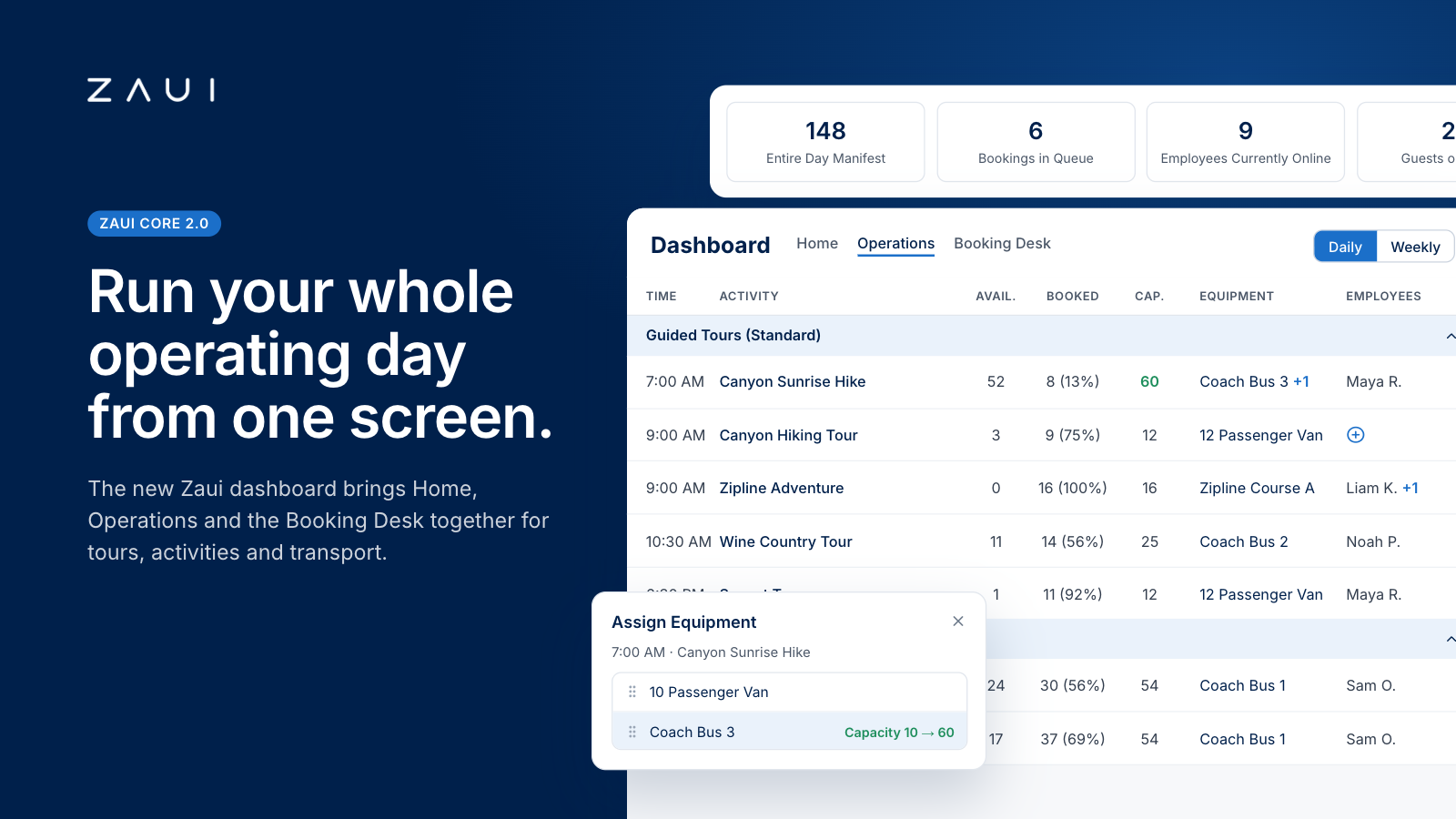
Zaui's New Dashboard and Operations Dashboard: How the Most Advanced Command Center Works
Zaui's new dashboard puts capacity, staff, vehicles, waitlists and bookings for tours, activities and shuttles in one live view. See how it works.


Frequently Asked Questions
No. Zaui’s pricing is fully pay-as-you-go. You aren’t locked into any long-term contract. In fact, leading platforms emphasize this flexibility. Similarly, Zaui lets you start and stop anytime. You can change or cancel your plan freely, so you only pay for what you use.
Absolutely not. Zaui’s pricing is 100% transparent. We disclose all fees up front with no surprise add-ons or “sneak-in” charges. In fact, Zaui’s plans include all core features “without additional fees”. Industry experts note that hidden fees undermine trust so we avoid them entirely. All costs are clearly outlined in our pricing, and there are no extra setup charges or undisclosed surcharges at checkout.
Zaui integrates with major payment gateways (e.g. Stripe) so you only pay standard credit-card processing rates (roughly 1.9%+$0.30/transaction) and we don’t mark them up. Only the published platform commission is added on bookings. You also have full control over who pays the commission, we let you decide whether to absorb booking fees or pass them on to customers. In short, you’ll only pay the transparent booking commission and normal gateway fees, nothing extra.
Your onboarding and support are included in the price. We provide white-glove setup help and ongoing 24/7 support at no additional cost. Our dedicated customer-success team will guide you through every step, ensuring a smooth launch. You won’t pay extra for training or service other than the onboarding fee; it's all built into your plan.
You can schedule a free demo with our team. Our Zaui ninjas will walk you through pe how Zaui can work for your business and highlight opportunities to grow with our advanced features all without any upfront payment. This way, you can feel confident it’s the right fit before making a commitment.
Of course. Zaui’s plans are fully flexible. You can upgrade or downgrade at any time to match your needs, without penalties. You can move to a higher tier or back down easily, and your billing adjusts automatically.
No. Zaui does not charge its commission on offline/manual bookings. “No fees on offline bookings” You only pay the commission when a booking is processed online through our system. Manual reservations (or bookings from partner channels we set up for you) incur no extra platform fee. (30% or less)
All of Zaui’s core features are included in your plan at no extra charge. We believe in value and transparency: Zaui provides over 15 advanced features (Google Things to do, reporting tools, marketing tools, reports, etc.) at no additional cost. Many competitors charge extra or require higher plans for the same features, but with Zaui you get the full suite of tools in one package. Any optional add-ons (if any) will always be clearly listed and optional there are no surprise paid upgrades for standard features.
Each Zaui plan is designed for clarity and fairness, following industry best practices. You can trust that our pricing is transparent and flexible, with the support you need built in.
Extra accounts- unlimited agents, resellers, user
