

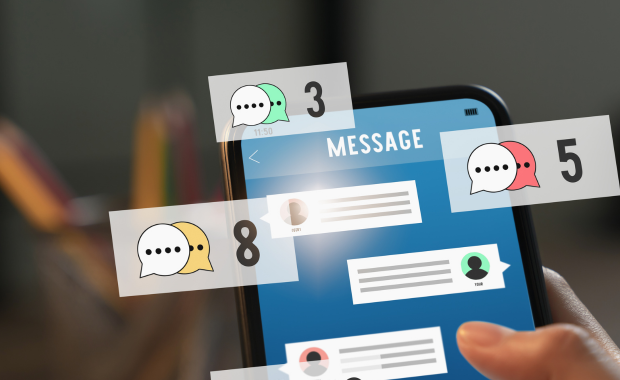

The gap between a booking confirmation email and an actual guest showing up ready for their tour, with the right expectations, the right gear, and at the right meeting point, is where a lot of avoidable friction lives in tour operations. Automated guest communication closes that gap without requiring a staff member to manually track and message every booking individually. This guide covers what tour and activity operators should look for in automated communication tools and how to use them well.
Why Manual Communication Does Not Scale
A small operator running a handful of bookings a week can get away with manually emailing or calling each guest with reminders and logistics details. That approach breaks down quickly as booking volume grows, and it breaks down completely during disruptions, when dozens of guests on a single affected day all need the same update at once. Automated communication is not about replacing a personal touch entirely, it is about making sure the essential, repeatable information reaches every guest reliably, freeing your staff to handle the exceptions and the genuinely personal interactions that actually need a human.
Core Communication Touchpoints Worth Automating
Booking Confirmation
The first message a guest receives sets expectations for everything that follows. A strong confirmation message includes clear meeting point details, what to bring, cancellation policy terms, and a way to contact your team with questions, delivered immediately upon booking rather than requiring a guest to wait for a staff member to send a manual follow-up.
Pre-Tour Reminders
A reminder sent the day before, or the morning of, a tour reduces no-shows more reliably than a single confirmation sent at time of booking, particularly for bookings made well in advance where the original confirmation details may have been forgotten. This reminder should restate the meeting point, time, and any weather or gear considerations relevant to that specific day.
Weather and Disruption Notifications
When conditions change, whether a storm threatens an outdoor tour or a mechanical issue affects a vehicle-based departure, guests need to know quickly, ideally before they leave home for the meeting point. Automated tools that let you push a single message to every guest booked on an affected departure, rather than calling or emailing each one individually, are critical for categories prone to weather or operational disruption, similar to the mass communication needs discussed in our guides on sightseeing tour and wildlife and eco tour operations.
Post-Tour Follow-Up and Review Requests
A well-timed follow-up message sent shortly after tour completion, while the experience is still fresh, meaningfully increases review submission rates compared to a delayed request sent days later. This same touchpoint is also a natural moment to share related product recommendations or loyalty program information if relevant to your business.
What to Look For in an Automated Communication Tool
Trigger-Based Automation Tied to Booking Status
Your system should let you configure messages that trigger automatically based on booking events (confirmed, 24 hours before departure, tour completed) rather than requiring a staff member to manually initiate each message. This is the core function that actually saves time as your volume grows, since the automation runs whether your team is actively monitoring bookings or not.
Mass Communication for Disruption Scenarios
Beyond individual automated triggers, you need the ability to send a one-off mass message to everyone booked on a specific departure or date range when something unplanned happens. This is different from a scheduled automated trigger and needs to be fast and simple to execute in the moment, since a weather decision or a mechanical failure often needs communication out within minutes, not after a lengthy message-building process.
Channel Flexibility
Email remains a reliable channel for detailed information like full confirmation details, but text messages typically get read faster and are better suited for time-sensitive reminders and disruption notices. Look for a platform that supports both channels, ideally letting guests choose their preference, or at minimum using text for time-critical messages and email for anything requiring more detail than fits comfortably in a text message.
Personalization Without Manual Effort
Messages that pull in the guest's actual tour details (departure time, specific meeting point, group size, any add-ons purchased) automatically feel more relevant and trustworthy than a generic template, and this level of personalization should not require manual editing for each individual booking. Your platform should merge this data into your message templates automatically based on the actual booking record.
Reducing No-Shows Through Better Communication
No-shows are a persistent cost across almost every tour and activity category, and while some no-shows are unavoidable, a meaningful share are preventable through better communication timing and clarity. Operators who add a same-day reminder, on top of an initial booking confirmation, commonly see a measurable reduction in no-show rates, particularly for categories with same-day or last-minute booking patterns like city and walking tours, where the gap between booking and departure can be as short as an hour.
Clear meeting point details matter as much as the timing of the reminder itself. A generic street address performs worse than specific, actionable directions ("look for the guide holding a red umbrella outside the main entrance"), and this kind of detail is worth investing time into writing well for your automated templates, since it gets reused for every booking of that specific tour going forward.
Balancing Automation With Genuine Human Contact
Automated communication should handle the repeatable, predictable touchpoints, confirmations, reminders, standard follow-ups, while leaving room for genuine human contact on anything unusual: a special request, a complaint, a complex modification. Over-automating every guest interaction, including ones that clearly need a human response, can come across as impersonal or dismissive, particularly if a guest replies to an automated message with a specific question and receives another generic automated response rather than a real reply from a staff member.
Look for a platform that makes it easy for staff to see the full communication history for a specific booking, including which automated messages have already gone out, so a staff member handling a guest inquiry has full context rather than needing to ask the guest to repeat information already covered in a prior automated message.
Measuring the Impact of Automated Communication
No-show rate before and after implementing automated reminders is one of the clearest metrics to track, since it directly ties a communication change to a measurable operational outcome. Review submission rate, tracked against the timing of your post-tour follow-up message, is another useful metric, since testing different follow-up timing (immediately after tour completion versus the next morning, for example) can reveal what actually works best for your specific guest base and tour type.
Response and engagement rates on disruption notifications also matter, particularly confirming that guests actually open and act on weather or schedule change messages rather than missing them entirely, which might indicate a need to adjust your channel choice or message timing for these critical, time-sensitive communications. Some operators run periodic spot checks, sending a test disruption message to a small internal group across different channels and devices, to confirm deliverability and readability remain solid over time, since carrier filtering rules and email spam algorithms change periodically in ways that can silently degrade a previously reliable communication channel without any obvious warning sign from within your own booking system.
Multi-Language Guest Communication
If you serve an international guest base, sending automated communication in a guest's preferred language, rather than defaulting everyone to a single language regardless of who booked, meaningfully improves comprehension of critical details like meeting points and cancellation policies. Some booking platforms support language preference tagging at the point of booking, either through explicit selection or by inferring from booking source or OTA channel, and can automatically send the appropriate language version of your templates without requiring your staff to manually identify and translate messages for each international guest individually.
This matters most for categories with a high proportion of international tourists, such as sightseeing and city walking tours in major destination cities, where a meaningful share of no-shows and day-of confusion can trace back to a guest who received clear instructions in a language they were not fully comfortable reading quickly under time pressure.
Integrating Communication With Your Broader Marketing Efforts
While the core purpose of automated guest communication is operational, confirmations, reminders, disruption notices, it also represents a natural touchpoint for light marketing content, provided it does not dilute the operational clarity of the message. A post-tour follow-up email that includes a review request alongside a recommendation for a complementary tour or activity, timed for a guest who has just had a positive experience with your business, can meaningfully contribute to repeat bookings or referrals without requiring a separate marketing campaign.
The key distinction to maintain is keeping operationally critical messages (meeting points, disruption notices, cancellation information) clean and focused, reserving promotional content for touchpoints where it will not create confusion about time-sensitive logistics. A guest trying to quickly find their meeting point in a reminder message cluttered with unrelated promotional offers is a worse experience than a guest receiving a separate, clearly promotional follow-up after the tour has concluded.
Common Mistakes When Setting Up Automated Communication
Over-automating without a clear escalation path. If a guest replies to an automated message with a genuine question or concern, make sure that reply routes to a real staff member rather than disappearing into an unmonitored inbox or triggering another generic automated response.
Using generic meeting point language in templates. Specific, actionable meeting point details, refined based on actual guest feedback about confusion or difficulty finding a departure point, meaningfully reduce no-shows and day-of confusion compared to a bare street address.
Sending disruption notifications too late. A weather or mechanical decision communicated the morning of, or worse, at the departure point itself, creates far more guest frustration than the same decision communicated the evening before with enough lead time for guests to adjust their plans.
Not testing message deliverability across channels. Text messages and emails can end up filtered, blocked, or delayed depending on carrier and guest settings. Periodically confirming that your automated messages are actually reaching guests, not just being sent successfully from your system's perspective, catches deliverability problems before they compound into a pattern of no-shows attributed incorrectly to guest behavior rather than a communication failure.
Getting Started
Map out your current guest communication touchpoints, from booking confirmation through post-tour follow-up, and identify which ones are currently manual, which are automated, and where gaps exist (a category prone to weather disruption with no mass communication tool, for example, or a tour with a genuinely confusing meeting point and only a generic address in the confirmation email). Prioritize automating the touchpoints that most directly affect no-show rates and guest satisfaction first, since these tend to offer the clearest, most measurable return on the setup effort.
For related reading on categories where automated communication is especially important, see our guides on charter service booking software and intermodal transportation booking software, both of which depend heavily on clear, timely guest communication around logistics and disruption handling, and both of which illustrate how the same underlying automation principles apply just as much to complex, multi-stakeholder bookings as they do to a simple single-departure activity.
Frequently Asked Questions
How many automated touchpoints is too many?
There is no universal number, but if guests start replying with confusion or annoyance about message frequency, or if your unsubscribe or opt-out rate on communication climbs noticeably, that is a signal to consolidate or reduce frequency. Most operators find that three to five touchpoints (confirmation, one or two reminders, a follow-up) covers the essential information without overwhelming guests.
Should disruption notifications go out by text, email, or both?
Text tends to get read faster for time-sensitive information, so it is generally the better default for disruption notices where speed matters. Email can serve as a backup or a more detailed follow-up to the text notification, particularly if the disruption involves rebooking options that need more explanation than fits comfortably in a text message.
Is it worth personalizing automated messages beyond just merging in the guest's name and tour details?
Basic personalization (name, specific tour details, actual departure time) delivers most of the practical benefit with minimal setup effort. Deeper personalization based on guest history or preferences can add value for repeat customers or premium experiences, but it is generally a refinement worth pursuing after the foundational automated touchpoints are solid, not a starting requirement.
How do I decide which language to send automated messages in for international guests?
If your booking platform captures language preference at the point of sale, whether through explicit selection or by inference from the OTA channel or website locale the booking came through, use that signal to automatically select the appropriate template. If your system does not currently capture this, consider adding a simple language preference field to your booking flow, since the operational cost of maintaining a few translated template versions is usually small compared to the reduction in no-shows and confusion among guests who are more comfortable in a language other than your default.
Should I worry about guests opting out of automated messages entirely?
Some guests will opt out of promotional content, and this is generally fine to respect, since operational messages like booking confirmations and disruption notices are typically considered transactional communication rather than marketing, and are usually exempt from marketing opt-out preferences in most messaging platforms and relevant regulations. Confirm with your specific platform how it distinguishes between transactional and promotional messages, since accidentally suppressing a critical disruption notice because a guest previously opted out of marketing emails would be a serious operational gap.
What is the single highest-impact automated message to set up first if I am starting from scratch?
For most operators, a same-day or next-day pre-tour reminder with clear meeting point details delivers the most immediate, measurable impact on no-show reduction, more than any other single touchpoint. If you can only automate one thing initially, this is generally the best starting point before expanding into disruption notifications, post-tour follow-ups, and more refined personalization.
Ultimately, automated guest communication works best when it is treated as an extension of genuine hospitality rather than a purely administrative function. The goal is not simply to reduce the number of messages your staff has to send manually, though that is a real and valuable benefit, it is to make sure every guest arrives at your tour with clear expectations, the right information, and confidence that your business is organized and attentive, all before a single staff member has to personally intervene. Getting the automated layer right frees your team to spend their limited time on the interactions that genuinely benefit from a human touch, rather than repeating the same logistical details to guest after guest throughout a busy season, which is ultimately where the real return on investment shows up, in staff time reclaimed and guest confidence earned before the tour has even started.
Related Posts

Frequently Asked Questions
No. Zaui’s pricing is fully pay-as-you-go. You aren’t locked into any long-term contract. In fact, leading platforms emphasize this flexibility. Similarly, Zaui lets you start and stop anytime. You can change or cancel your plan freely, so you only pay for what you use.
Absolutely not. Zaui’s pricing is 100% transparent. We disclose all fees up front with no surprise add-ons or “sneak-in” charges. In fact, Zaui’s plans include all core features “without additional fees”. Industry experts note that hidden fees undermine trust so we avoid them entirely. All costs are clearly outlined in our pricing, and there are no extra setup charges or undisclosed surcharges at checkout.
Zaui integrates with major payment gateways (e.g. Stripe) so you only pay standard credit-card processing rates (roughly 1.9%+$0.30/transaction) and we don’t mark them up. Only the published platform commission is added on bookings. You also have full control over who pays the commission, we let you decide whether to absorb booking fees or pass them on to customers. In short, you’ll only pay the transparent booking commission and normal gateway fees, nothing extra.
Your onboarding and support are included in the price. We provide white-glove setup help and ongoing 24/7 support at no additional cost. Our dedicated customer-success team will guide you through every step, ensuring a smooth launch. You won’t pay extra for training or service other than the onboarding fee; it's all built into your plan.
You can schedule a free demo with our team. Our Zaui ninjas will walk you through pe how Zaui can work for your business and highlight opportunities to grow with our advanced features all without any upfront payment. This way, you can feel confident it’s the right fit before making a commitment.
Of course. Zaui’s plans are fully flexible. You can upgrade or downgrade at any time to match your needs, without penalties. You can move to a higher tier or back down easily, and your billing adjusts automatically.
No. Zaui does not charge its commission on offline/manual bookings. “No fees on offline bookings” You only pay the commission when a booking is processed online through our system. Manual reservations (or bookings from partner channels we set up for you) incur no extra platform fee. (30% or less)
All of Zaui’s core features are included in your plan at no extra charge. We believe in value and transparency: Zaui provides over 15 advanced features (Google Things to do, reporting tools, marketing tools, reports, etc.) at no additional cost. Many competitors charge extra or require higher plans for the same features, but with Zaui you get the full suite of tools in one package. Any optional add-ons (if any) will always be clearly listed and optional there are no surprise paid upgrades for standard features.
Each Zaui plan is designed for clarity and fairness, following industry best practices. You can trust that our pricing is transparent and flexible, with the support you need built in.
Extra accounts- unlimited agents, resellers, user
